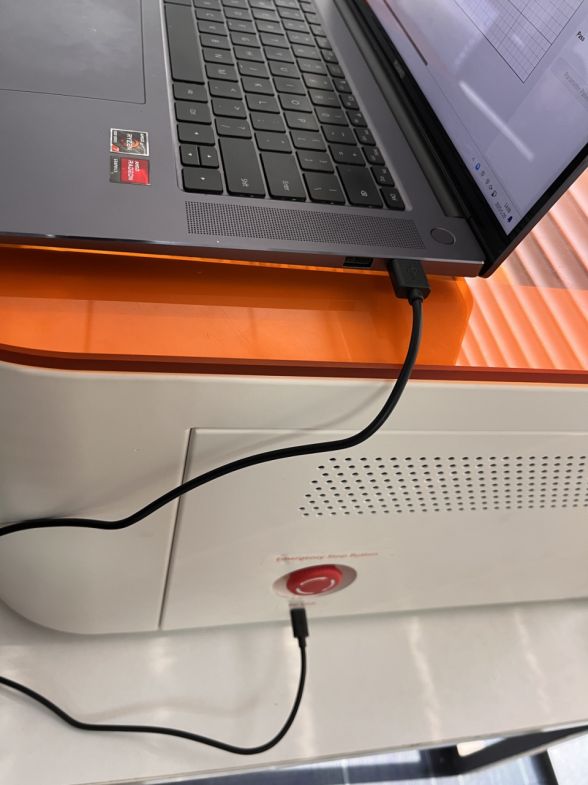
¶ 1. Connect Mega to your PC
Use a USB Type-C data cable to connect the Mega to your computer.
¶ 2. Configuring Wi-Fi via LightBurn**
¶ Step 1: Connect Mega to LightBurn
Open LightBurn and establish a connection with your Mega machine.
For MEGA firmware version 1.0.6.3 or above, please set the connection baud rate of Lightburn to 230400. For versions below 1.0.6.3, set the baud rate to 1000000 for connection.
For MEGAS firmware version 1.0.1.3 or above, please set the connection baud rate of Lightburn to 230400. For versions below 1.0.1.3, set the baud rate to 1000000 for connection.
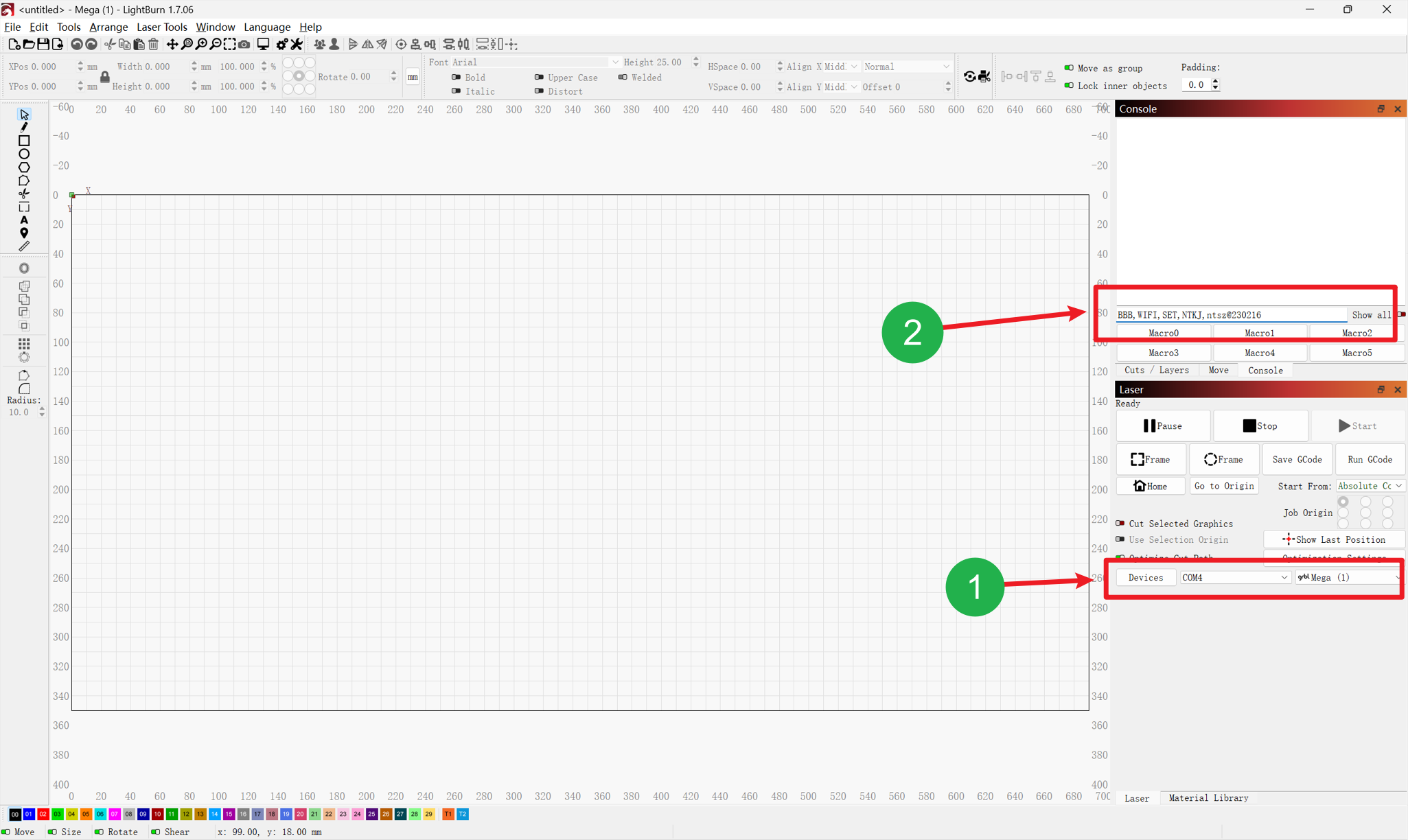
¶ Step 2: Enter Wi-Fi Credentials
In the LightBurn console, input the following command:
BBB,WIFI,SET,ssid,passwd
- Replace
ssidwith your Wi-Fi network name. - Replace
passwdwith your Wi-Fi password.
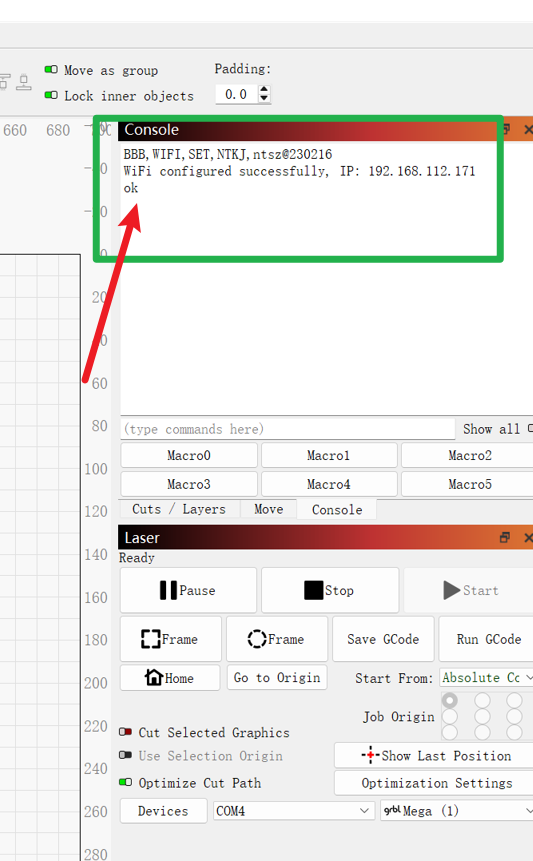
¶ Step 3: Confirm Success
If the console returns OK, the Wi-Fi setup succeeded.