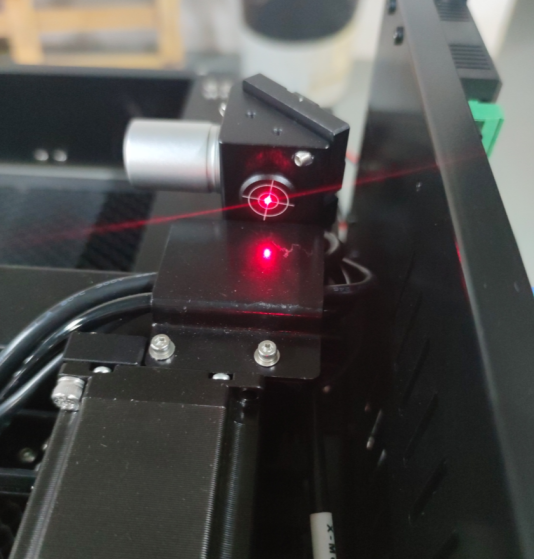
¶ MEGA/MEGA-S Auxiliary Red Light Explanation
The visual auxiliary red light is used for calibrating the optical path. To extend the service life of the red indicator light, it is recommended to turn off this light when performing the engraving task.
Therefore, in the MegaS firmware version 1.0.1.4 and the Mega firmware version 1.0.6.4 and above, when using LightBurn for connection, the visual auxiliary red light will not automatically turn on.
The following configuration file is only compatible with Lightburn 2.1 and above versions. It is strongly recommended that you upgrade your Lightburn version.
—————Download of MEGA configuration file—————
—————Download of MEGA-S configuration file—————
After downloading the configuration file, you can simply drag the “MEGA-S.lbzip“ file to any location within the Lightburn window to import it.
1、We have added a new macro instruction named "BBB,DEV,SET,LED,ON" in the macro command, which is used to activate the visual assistance red light. Simply click "Send" to activate the visual assistance red light.
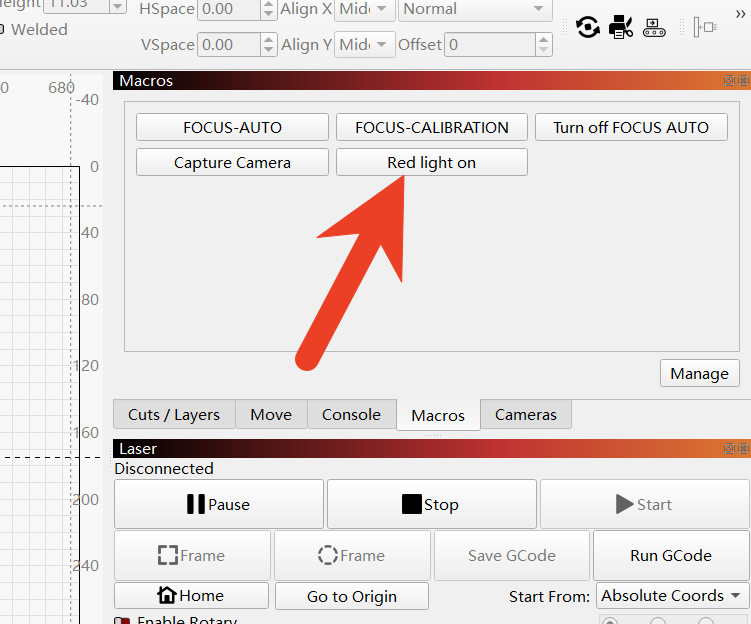
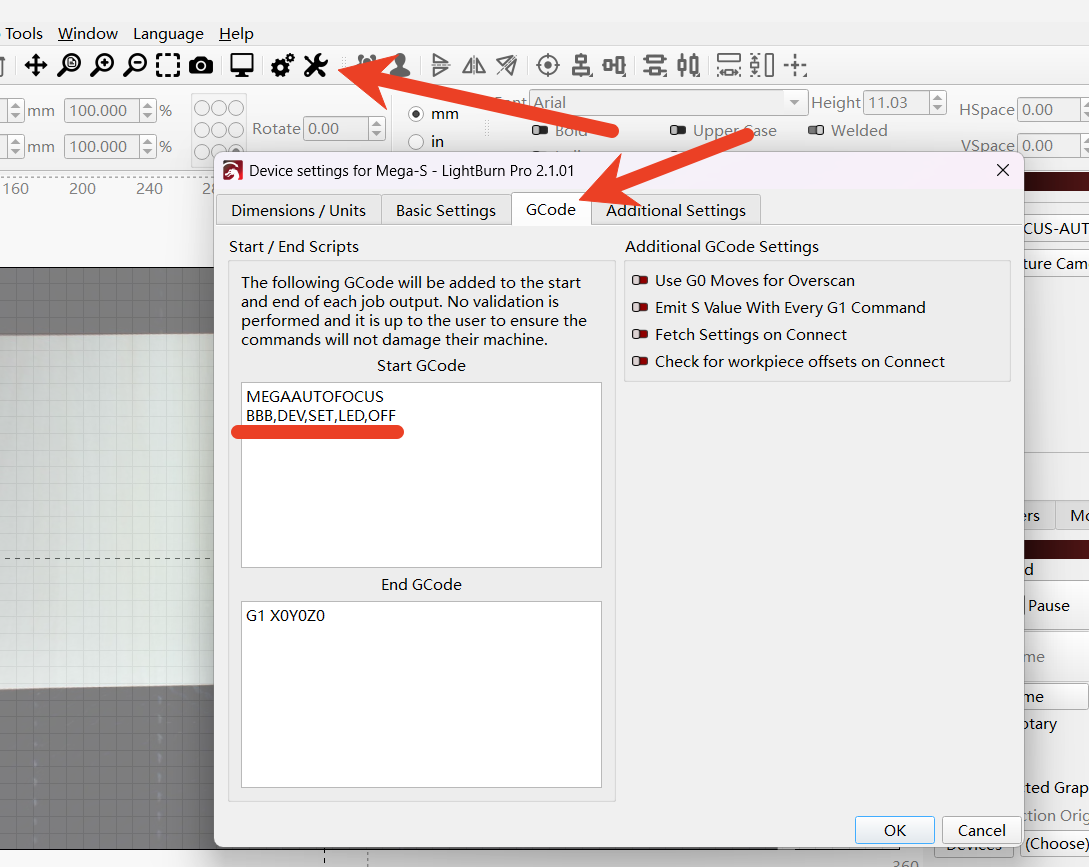
2、We have added the instruction "BBB,DEV,SET,LED,OFF" to the Gcode of Lightburn to turn off the visible red light. This instruction will automatically turn off the visible red light each time a carving task is performed. If you need to activate it, please go to the macro instructions and click to execute the macro function that turns on the red light instruction once.
If you do not want the visual assistance red light to be turned off during the engraving process, simply delete the command "BBB,DEV,SET,LED,OFF" and save the file.